An Android app that makes apps
Describe an app.
Foundry makes it.
Say what you want in plain words. Foundry writes the app, runs it, looks at it, fixes what is wrong, and puts it on your phone. Games, trackers, calculators, little helpers: yours to keep, change and share.
100 free tokens the first time you open it. No sign-up, no API keys, no setup.
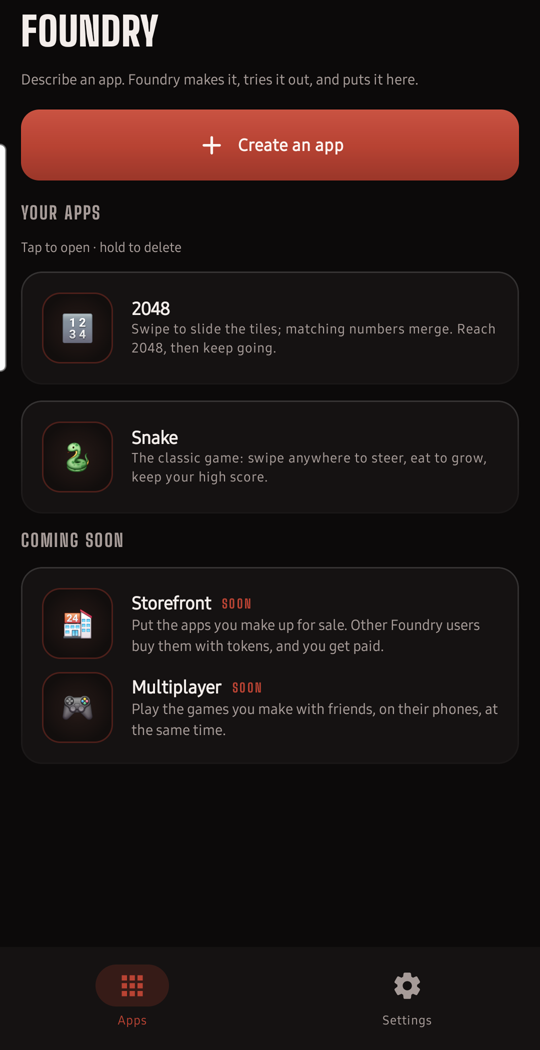
How it works
Three steps, no code
1. Say it
Type what you want. “A tip splitter for four people.” “Snake, with a high score.” “A stopwatch with laps.” That is the whole brief.
2. Foundry makes it
The AI writes the app, then runs it on your phone, takes screenshots, reads every error, and sends the problems back to be fixed. It keeps going until the app really works.
3. It is yours
The finished app appears on your home screen inside Foundry. Open it, use it, change it with another sentence, go back to any earlier version, or share it with a friend.
Making an app takes a few minutes. Foundry keeps working in the background, so you can leave and come back; if Foundry gets closed in the meantime, it carries on from where it left off.
Already there
Two apps come with it
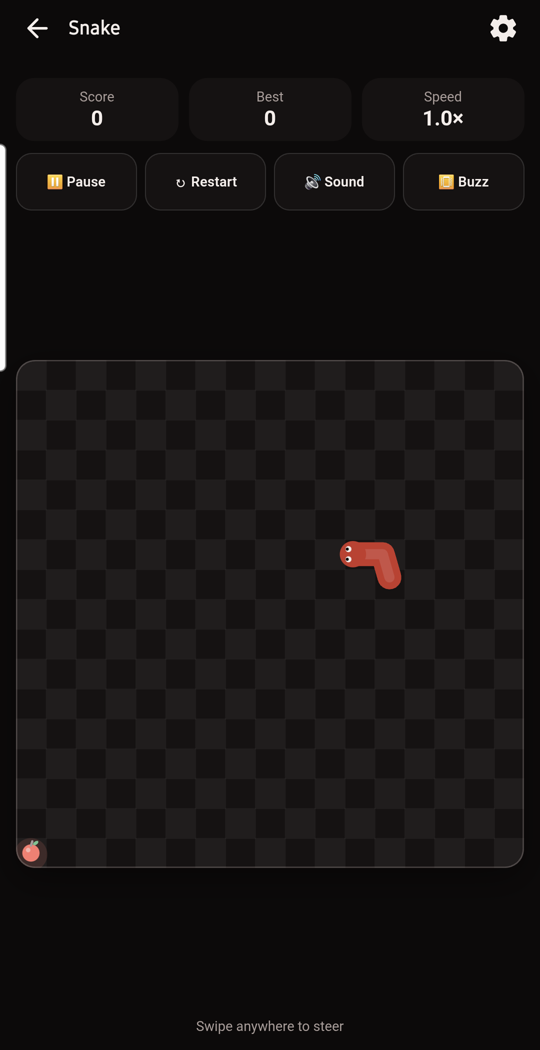
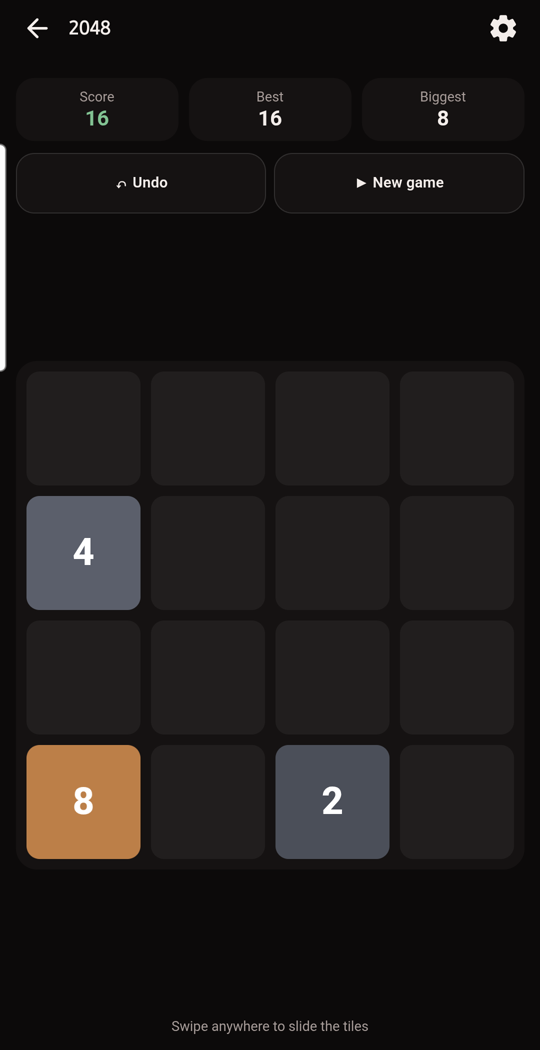
Snake and 2048 are installed from the start, so there is something to play before you make your own. Both work with no internet and no tokens, and both were made by Foundry, the same way your apps will be.
Apps you make can do more: ask the AI a question, use the camera, microphone, location or notifications. Each app asks your permission before it does any of that for the first time.
Every app runs in its own sandbox inside Foundry and keeps its own saved data. Delete an app and all of it goes.
Tokens
Simple pricing, no surprises
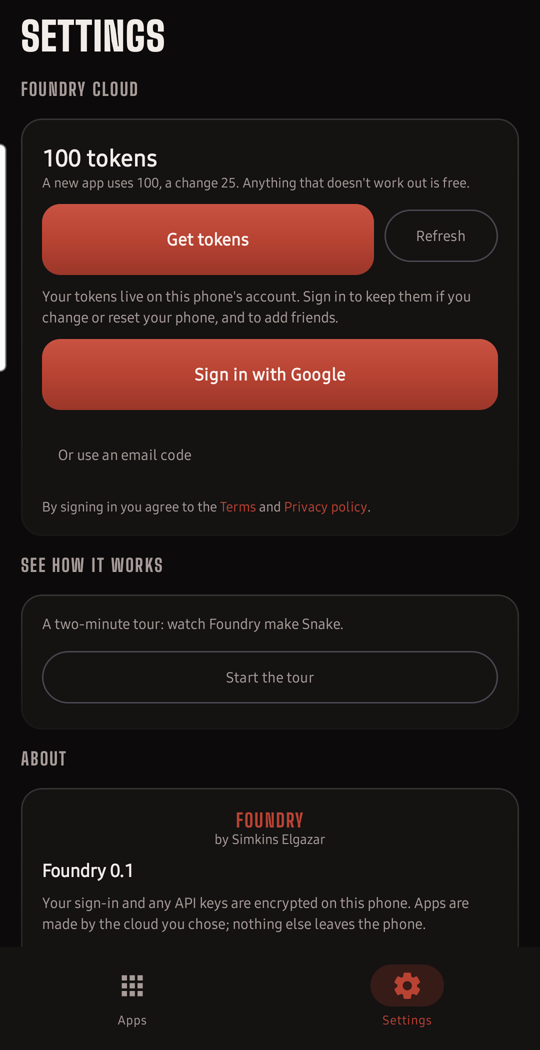
Tokens are how you pay for the AI that makes your apps. You only spend them when something gets made: a build that fails, stops, or needs to ask you a question refunds itself automatically.
Token packs will be sold inside the app through Google Play. Until then, the free tokens your phone starts with are yours to use.
Friends
Share what you make
Pick a handle, add a friend by theirs, and send them any app you made. It lands on their phone as their own copy: they can use it, change it, and keep it. A shared app waits for a day, then the copy on our servers is deleted whether or not it was picked up.
There is nothing to set up: your phone gets an account and its free tokens the first time you open Foundry. Sign in with Google, or with a code sent to your email, whenever you want your tokens to follow you to a new phone. No passwords anywhere.
Coming soon
Storefront. Put the apps you make up for sale. Other Foundry users buy them with tokens, and you get paid.
Multiplayer. Play the games you make with friends, on their phones, at the same time.
Get Foundry
Free to install. Coming soon on Google Play.
Questions
- What kind of apps can it make?
- Anything that fits on one screen and runs on your phone: games, counters, timers, calculators, trackers, little tools. It cannot make apps that need their own servers or that talk to other apps on your phone.
- Do I need to know how to code?
- No. You describe the app in plain words and Foundry writes the code. You never see it unless you want to.
- Where do my apps live?
- On your phone, inside Foundry. They are not uploaded anywhere unless you choose to share one with a friend.
- What does the AI see?
- The words you type, the app's code while it is being made, and screenshots of the app running so it can check its own work. Nothing else from your phone. The privacy policy spells it out.
- Which phones?
- Android 12 and newer. Foundry is not available for iPhone.
More on the support page.